Use Fetch with more than one Revit version
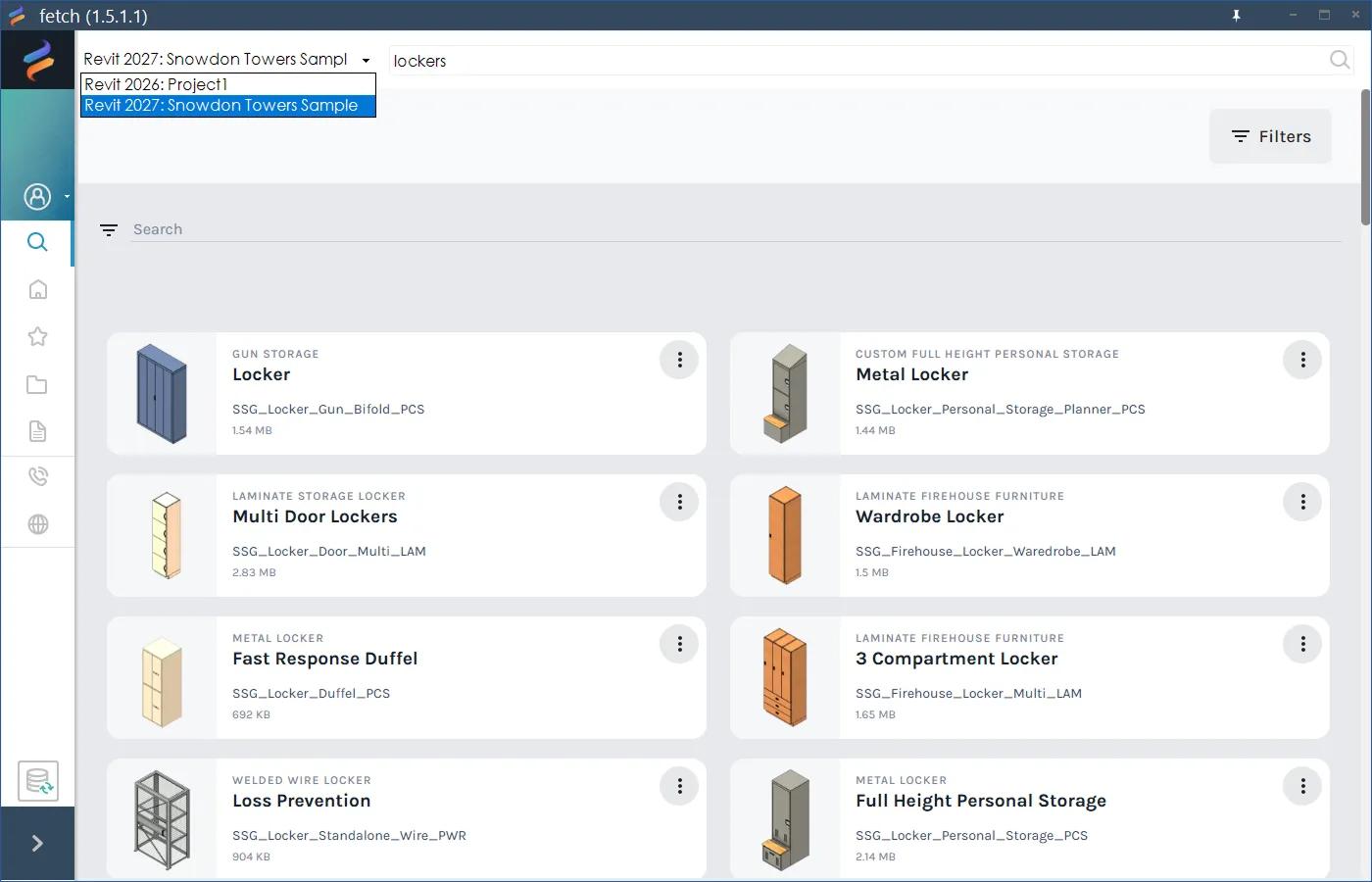
One Fetch install works in every supported Revit version. If you have more than one Revit open, pick which one Fetch loads into from the version picker.
Fetch pluginRevit 2023–2027Updated
One install for every version
A single Fetch install works in every supported version of Revit on your computer (Revit 2023 to 2027). On the installer's Select Components page, Full installation adds Fetch to all of them; untick any you don't use. You don't need a separate install per version. Families load in the version of the project you're working in.
More than one Revit open at once
If you have more than one Revit session open, for example Revit 2023 for one project and Revit 2025 for another, Fetch works with one of them at a time.
- Look at the version picker at the top left of the Fetch app, across from the search bar. It shows the Revit version and project Fetch is pointed at, for example "Revit 2023: Project name".
- Open the picker and choose the session you want.
- Loading, syncing and updating now happen in that Revit session.
Downloading from the website
On fetchbim.com, each family is listed once per Revit version. Download the file that matches the Revit you'll open it in. Revit can't open a family saved in a newer version. See Download failed or blocked by a firewall.
Was this page helpful?
Still stuck? Contact the Fetch team and tell us which page you were on.